Find the large files you forgot about.
Your biggest files in one list, with when you last opened each one and where it is.
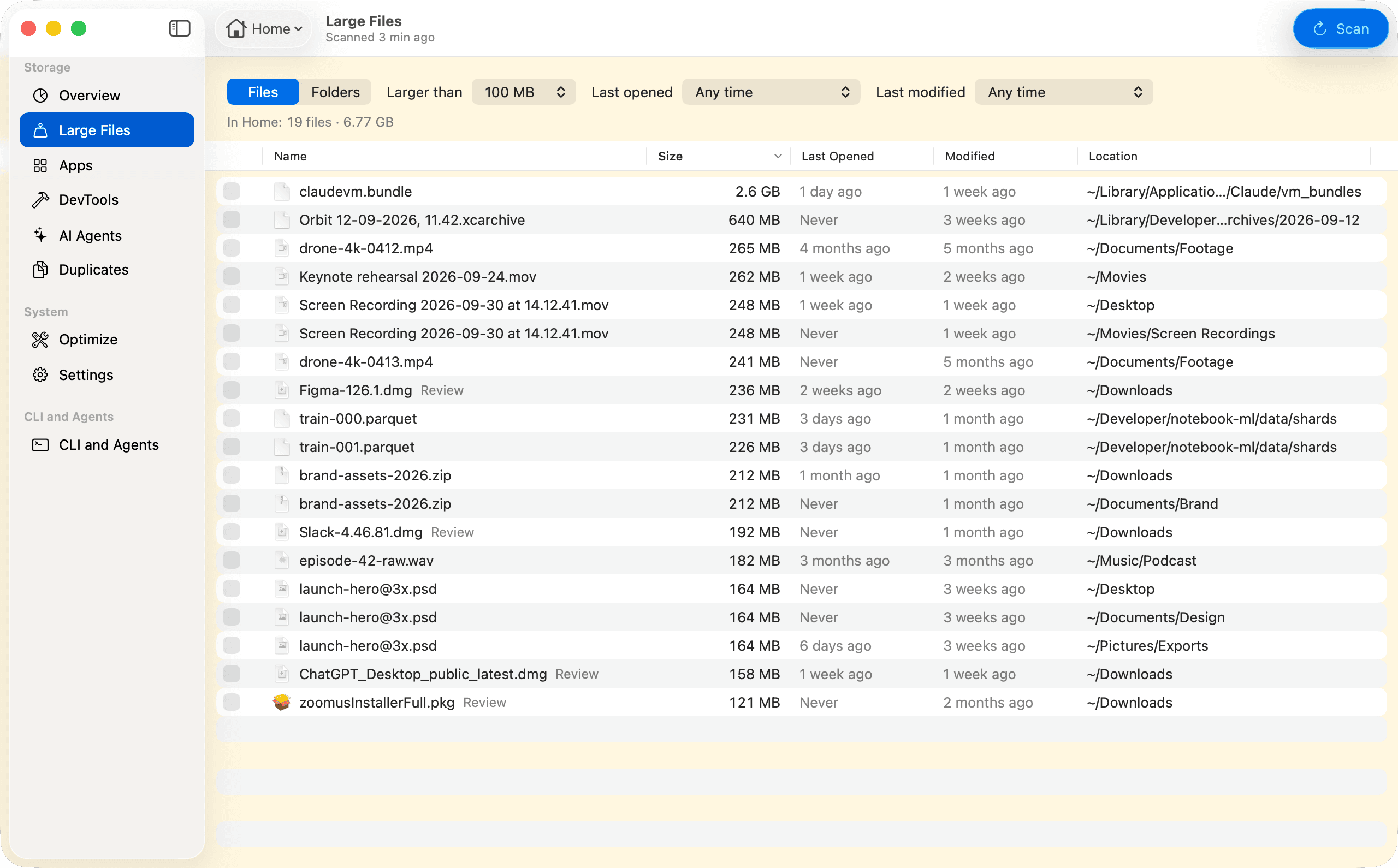
How it works
Filter by size and age.
Show files larger than 50 MB up to 5 GB, then narrow them to what you haven’t opened or changed in a month, a year or longer.
Know what each one is.
Each row gives the size, when it was last opened and modified, and where it lives, with Quick Look and Reveal in Finder a key away.
Delete what you’re done with.
Tick the files you don’t need and delete them after one confirmation. They skip the Trash, so the space comes back at once.
Good to know
- macOS’s own files, apps, synced folders like iCloud Drive and Dropbox, and the Trash are never listed. Apps are removed in Apps.
- Files an app has open are skipped.
More features
- figma-export-v3-REAL.zip3 copies · 488.1 MB each
- Home › Downloads25 Aug 2026 at 13:19
- Home › Documents › screenshots dump25 Aug 2026 at 17:56
- Home › Desktop › untitled folder 325 Aug 2026 at 15:35
Spot files you’ve saved more than once.
Identical files side by side, so you keep the one you want.
- Home78.1 GB
- Library39.81 GB
- Developer19.2 GB
- .claude2.53 GB
- .cargo2.5 GB
- .npm2.4 GB
Scan your whole Mac, or just one folder.
Start from the startup disk, your home folder or any folder you choose.
Review Trash
SizeDate TrashedNameTrash4 items · 1.23 GB- old-mac-backup-2024.zip10/28/26612 MB
- Screen Recording 2026-09-14.mov10/30/26318 MB
- Figma-125.0.dmg10/21/26214 MB
- untitled folder 3Yesterday86 MB
Look through the Trash before you empty it.
Sort it by size or date. Anything you untick stays in the Trash.