Features
Everything Disk Census can do for your Mac.
Find what’s using space, free what’s safe, and keep things running well, in the app, in Terminal or through your AI agent.
Free up space safely
- Safe to Clean21 items: caches, logs, build output, and old versions.
- Xcode DerivedData24.61 GB
- npm cache3.27 GB
- Homebrew download cache1.86 GB
- Caches1.82 GB
Clean what’s safe in one click.
Caches, logs and build output that rebuild on their own, cleaned after you check the list.
Developer
31.36 GB safe to clean- Xcode52.32 GB
- Xcode DerivedData24.61 GB
- iOS device support versionReview4.12 GB
- Simulator devicesKeep17.3 GB
- npm3.27 GB
- npm cache3.27 GB
Developer tools take more room than you think.
Build output and package caches, grouped by tool, with what rebuilds itself.
- Xcode52.32 GB
AI agents
3.26 GB safe to clean- Claude Code3.22 GB
- Claude Code debug logs640.8 MB
- Claude Code MCP logs291.6 MB
- Claude Code old versions193.4 MB
- Claude Code historyKeep1.31 GB
- Claude3.27 GB
- Claude virtual machineReview2.6 GB
AI coding agents leave files behind, too.
Old versions, caches and logs from Claude Code, Codex and others.
- Claude Code3.22 GB
Apps
- Xcode27.011.84 GB
- IntelliJ IDEA2026.2.33.12 GB
- Android Studio2026.1.22.84 GB
- Docker4.48.02.21 GB
- Google Chrome141.0.7390.661.47 GB
Remove an app and the files that came with it.
An app and its caches, settings and support files, removed together.
- InstalledLeftovers
- com.microsoft.teams2Last changed 5 months ago~/Library/Containers/com.microsoft.teams22.05 GB
- com.bohemiancoding.sketch3Last changed 11 months ago~/Library/Application Support/com.bohemiancoding.sketch3780.3 MB
- org.swift.swiftpmNo sign an app used it; it may belong to a command-line tool~/Library/Caches/org.swift.swiftpm188 KB
Clear out what deleted apps left behind.
The caches and settings of apps you already deleted, found and grouped by app.
Review Trash
SizeDate TrashedNameTrash4 items · 1.23 GB- old-mac-backup-2024.zip10/28/26612 MB
- Screen Recording 2026-09-14.mov10/30/26318 MB
- Figma-125.0.dmg10/21/26214 MB
- untitled folder 3Yesterday86 MB
Look through the Trash before you empty it.
Sort it by size or date. Anything you untick stays in the Trash.
Safe to Clean
They rebuild on their own and won’t go to the Trash.
- Xcode DerivedData~/Library/Developer/Xcode/DerivedData24.61 GB
- npm cacheExcluded~/.npm/_cacache3.27 GB
- Homebrew download cache~/Library/Caches/Homebrew1.86 GB
Unticked items are excluded from later cleans.
Keep anything out of future cleans.
Untick an item once and Disk Census leaves it alone from then on.
See what’s using space
node_modules
FoldersAny sizeAny time
- node_modules~/code/pixel-garden1.84 GB
- node_modules~/work/acme-dashboard1.52 GB
- node_modules~/code/archive/hackathon-final-FINAL-v21.21 GB
- node_modules~/Documents/Archive/client-site-v2 copy896.1 MB
9 matches · 6.71 GB
Find any file or folder by name.
Any file or folder in the last scan, found by name, with filters for kind, size and date.
Change
DayWeekMonth+18.62 GB +4% in 7 days
- Developer+11.42 GB
- AI agents+3.31 GB
See what grew, and when.
How used space changed over the last hour, day, week or month, and what grew.
- Home78.1 GB
- Library39.81 GB
- Developer19.2 GB
- .claude2.53 GB
- .cargo2.5 GB
- .npm2.4 GB
Scan your whole Mac, or just one folder.
Start from the startup disk, your home folder or any folder you choose.
Large Files
Larger than 1 GB- llama-3.1-8b-instruct-q4_K_M.ggufmodels1 week ago4.92 GB
- Xcode_26.0.1_Apple_silicon.xipReviewDownloads1 month ago3.64 GB
- ubuntu-24.04.3-live-server-arm64.isoDownloads3 months ago3.01 GB
- Screen Recording 2026-09-12 at 16.04.11.movDesktop3 weeks ago1.86 GB
- demo-day-final-final.movMovies2 months ago1.42 GB
Find the large files you forgot about.
Your biggest files, with when you last opened each one.
- figma-export-v3-REAL.zip3 copies · 488.1 MB each
- Home › Downloads25 Aug 2026 at 13:19
- Home › Documents › screenshots dump25 Aug 2026 at 17:56
- Home › Desktop › untitled folder 325 Aug 2026 at 15:35
Spot files you’ve saved more than once.
Identical files side by side, so you keep the one you want.
Projects
18.25 GB- blip-cli9.84 GB
- Cargo build output Review/Users/alex/code/blip-cli/target9.84 GB
- pixel-garden2.92 GB
- notebooks-old2.36 GB
- rust-playground2.17 GB
- tidepool-ios964.2 MB
Find the old projects taking up room.
Build folders are grouped by project, so you can clear the ones you’re done with.
Used Space
- Developer133 GB31%
- Documents124 GB29%
- System Data46.1 GB11%
- Applications36.3 GB8%
- Hidden space21.4 GB5%
Used space no readable file accounts for: local snapshots, system data, and folders macOS keeps private.
See the space macOS keeps out of sight.
Local snapshots and other space no file accounts for show up as Hidden space, so the totals add up.
Keep your Mac running well
3 things worth fixing
8 checks · 4 fine · 1 good to know · checked just now
- Open With14 apps listed in Open With are gone or in the Trash.14 apps
- Simulators3 simulators for platform versions Xcode no longer has; they can’t run.3 simulators
- Homebrew23 packages have older versions that brew cleanup removes.23 packages
3 selectedOpen With, Simulators, HomebrewFix the small things that slow a Mac down.
A checkup of your Mac, then twelve fixes you tick and run with one button.
Keep an eye on free space.
A desktop widget for free space, and a heads-up when it runs low.
Reads and Writes
MinuteHourDayApps Using the Disk
- Xcode1.27 GB
- Docker914.3 MB
- Cargo642.1 MB
See what your disk is doing.
Drive health, today’s writes, and the apps reading and writing the disk.
- OverviewActivityHistoryClean87%used66.54 GB freeof 494.38 GB+18.62 GB (+4%) in 7 days
- Developer+11.42 GB
- AI agents+3.31 GB
- Documents+2.74 GB
Keep free space in the menu bar.
Free space in the menu bar, with Overview, Activity, History and Clean tabs.
Updates
2.0.2 is availableVersion 2.0.1 · Latest 2.0.2Overview and the menu bar show your disk as it is now, and you can send us feedback from the app.Release notesCheck for updates automaticallyOnce a day while the app is open. Never installs by itself.Every update is included.
Disk Census checks once a day and installs a new version only when you say so.
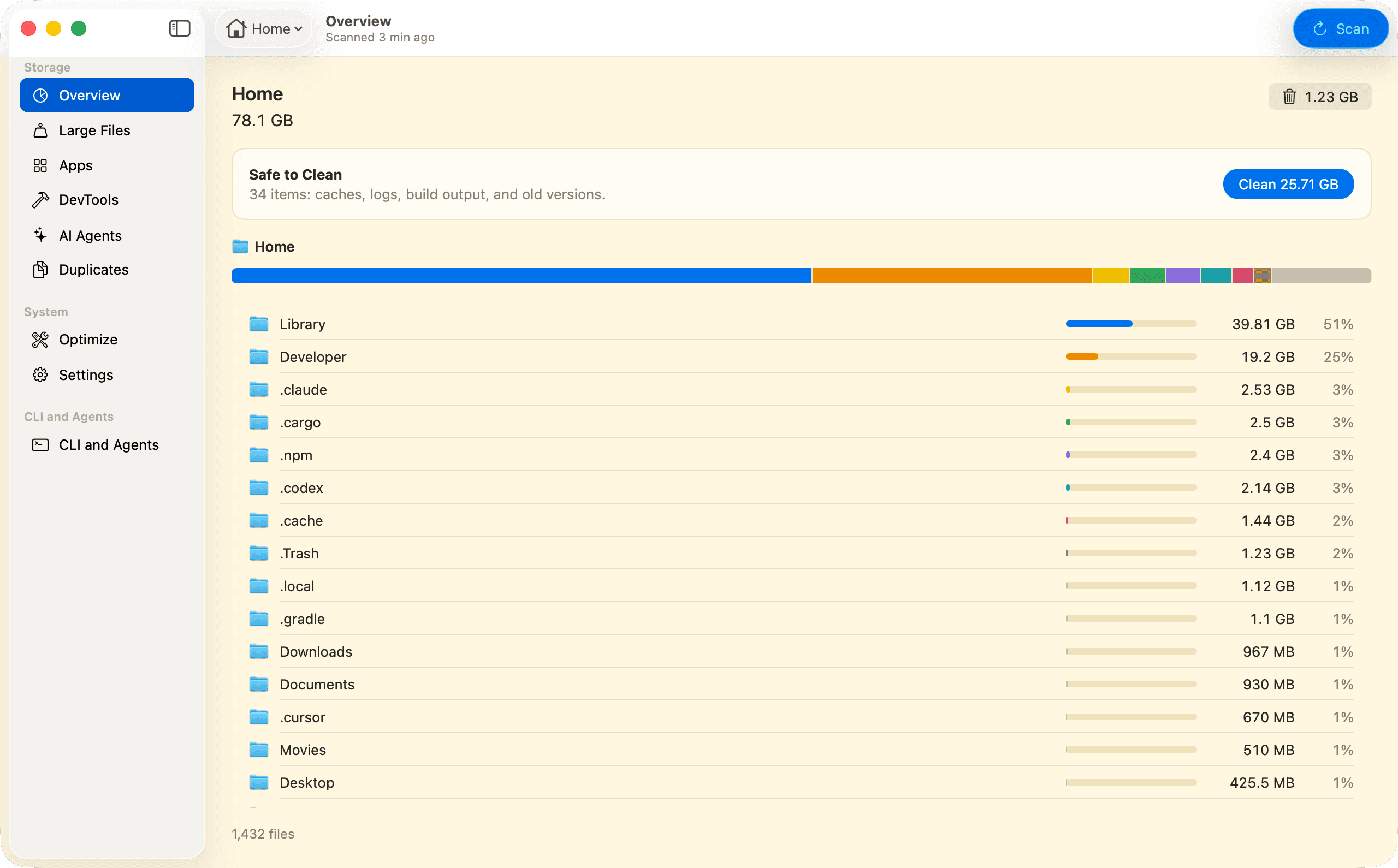
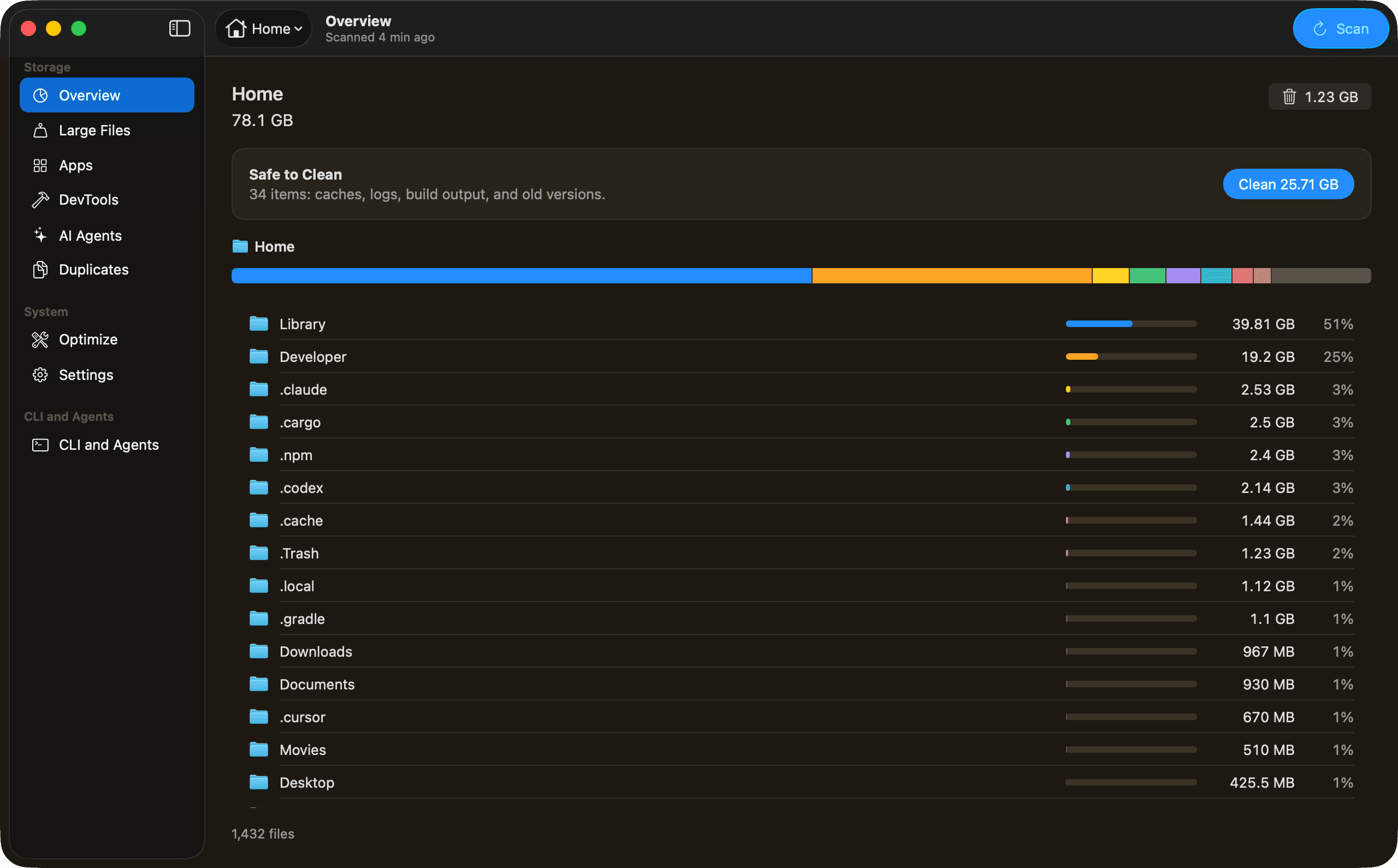
At home in Light and Dark.
It follows your Mac’s appearance, or you can choose one in Settings.
Work from Terminal or an AI agent
- me@MacBook-Pro ~ % census cleanRescanning Macintosh HD…11 items are safe to delete · 70 GB 18.6 GB Xcode DerivedData ~/Library/Developer/Xcode/DerivedData 14.2 GB Simulator runtimes ~/Library/Developer/CoreSimulator 13.4 GB Install macOS Sequoia.app /Applications 7.4 GB Application caches ~/Library/Caches … 7 more 16.4 GB
Everything in the app works in Terminal, too.
The same engine as the app, as the census command, with JSON for scripts.
Agents
 Claude CodeInstalled
 CodexInstalled
 Gemini CLIInstalled
 VS CodeInstalled
- WindsurfNot installed here
Disk Census never edits anything outside these files.
Teach your AI tools to use census.
Tick Claude Code, Codex or another agent, and it can check your disk for you.